Brake TESLA MODEL X 2018 User Guide
[x] Cancel search | Manufacturer: TESLA, Model Year: 2018, Model line: MODEL X, Model: TESLA MODEL X 2018Pages: 213, PDF Size: 5.37 MB
Page 73 of 213

When Model X is stopped, Vehicle Hold can
continue to apply the brakes even after you
remove your foot from the brake pedal. When
driving on a hill or on a
flat surface, brake as
you normally would. After coming to a
complete stop, simply press the brake pedal
again (until the instrument panel displays the
Vehicle Hold indicator light) to enable Vehicle
Hold. You can then release the brake pedal and remain stopped, even on a hill.
This indicator displays on the
instrument panel whenever Vehicle
Hold is actively braking Model X.
To disengage Vehicle Hold, press the
accelerator pedal or press and release the
brake pedal.
Note: Shifting into Neutral also disengages
Vehicle Hold.
Note: After actively braking Model X for
approximately ten minutes, Model X shifts into
Park and Vehicle Hold cancels. Model X also
shifts into Park if it detects that the driver has
left the vehicle.
Vehicle Hold
72Model X Owner
Page 82 of 213

Towing Capacity
The total trailer weight (including all cargo and additional equipment), and the trailer tongue
weight, must never exceed the following:TiresMaximum Towing Capacity*Maximum Tongue Weight**19"***, 20" or 22"2250 kg90 kg
*Tesla recommends a separate braking system on trailers with a loaded weight of over 450 kg. Thebraking system must be appropriate for the weight of the trailer. Follow the instructions providedby the trailer brake manufacturer to ensure that trailer brakes are properly installed, adjusted, and
maintained.
**The tongue weight is the downward force that the weight of the trailer exerts on the hitch. It must not be less than 4% of the trailer load. Carrying a
significant amount of equipment,
passengers, or cargo in the tow vehicle can reduce the tongue weight it can handle, which also
reduces the maximum towing capacity. Maximum towing capacity is calculated assuming the
GVWR (Gross Vehicle Weight Rating) is not exceeded. The GVWR is printed on the Statutory
Plate (see Statutory Plate on page 179).
***A Model X with 19" winter tires supports towing ONLY if equipped with these
specific tires:
TireStuddedRim Size
Rating
(Front/Rear)Nokian Hakkapeliitta 8Yes19"110 T
(190 km/h)Nokian Hakkapeliitta R2No19"110 R
(170 km/h)Pirelli Sottozero 3No19"110 V
(240 km/h)Caution: Do not use Model X for towing if equipped with 19" winter tires that are not listed
above.
Note: If the towing capacity on the hitch label conflicts with the information provided in this
owner
Page 85 of 213

1.Connect the wiring on the brake controller
to the appropriate locations on the 4-pin
pigtail connector included with your
Model X.
1 - Brake control output to trailer
2 - Ground
3 - Brake On Signal
4 - 12V Power (20A)
2. Remove the cover located under the
dashboard in the driver
Page 86 of 213

Towing Guidelines
Model X is designed primarily as a passenger-
carrying vehicle. Towing a trailer puts
additional load on the motor, drive train,
brakes, tires, and suspension and
significantlydecreases range. If you decide to tow a trailer,
proceed with caution and follow these general
guidelines:
Page 92 of 213
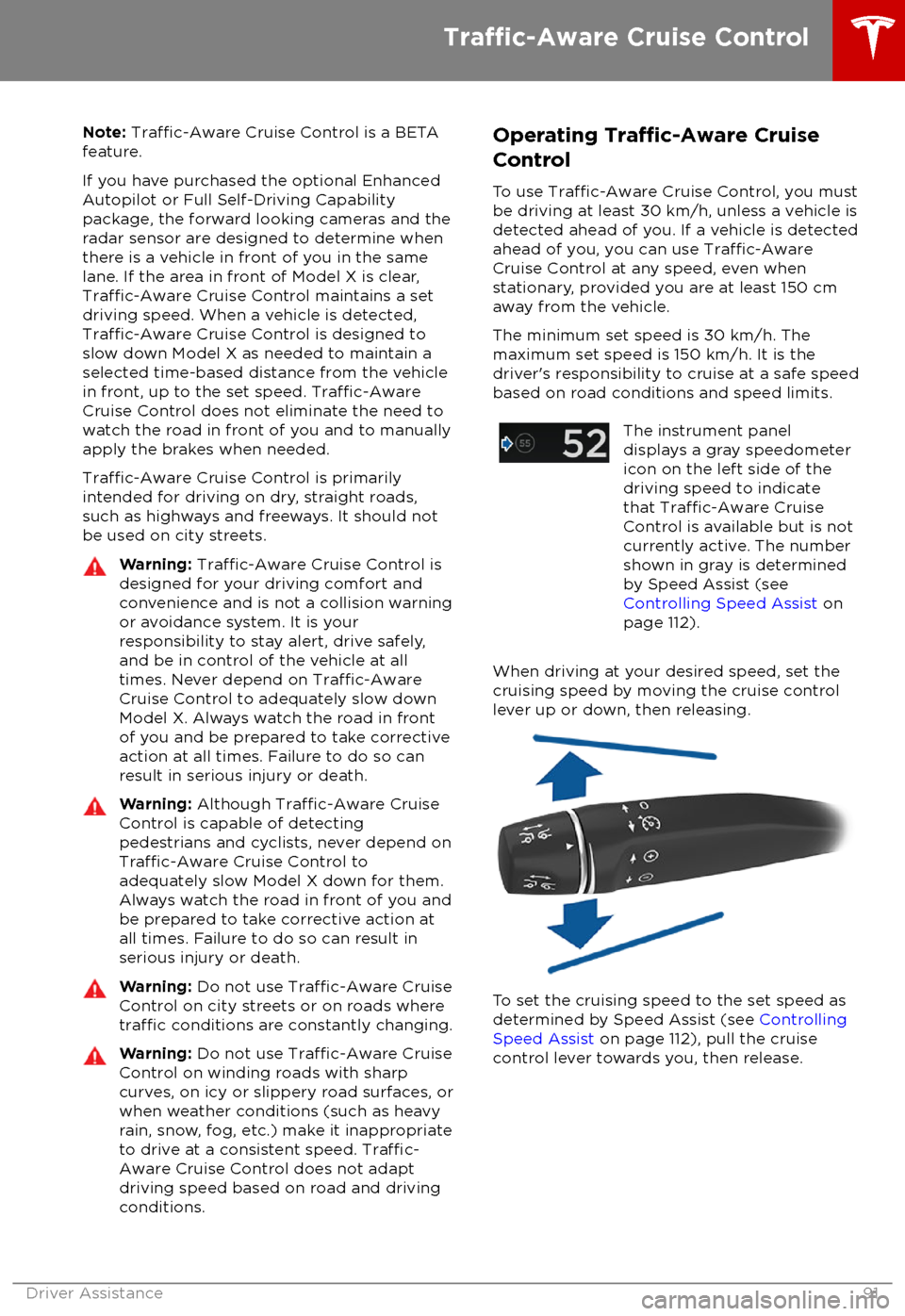
Note: Traffic-Aware Cruise Control is a BETA
feature.
If you have purchased the optional Enhanced Autopilot or Full Self-Driving Capabilitypackage, the forward looking cameras and theradar sensor are designed to determine when
there is a vehicle in front of you in the same
lane. If the area in front of Model X is clear,
Traffic-Aware Cruise Control maintains a set
driving speed. When a vehicle is detected,
Traffic-Aware Cruise Control is designed to
slow down Model X as needed to maintain a
selected time-based distance from the vehicle in front, up to the set speed.
Traffic-AwareCruise Control does not eliminate the need towatch the road in front of you and to manuallyapply the brakes when needed.
Traffic-Aware Cruise Control is primarily
intended for driving on dry, straight roads,
such as highways and freeways. It should not be used on city streets.
Warning: Traffic-Aware Cruise Control is
designed for your driving comfort and
convenience and is not a collision warning or avoidance system. It is your
responsibility to stay alert, drive safely,
and be in control of the vehicle at all
times. Never depend on
Traffic-AwareCruise Control to adequately slow down
Model X. Always watch the road in front
of you and be prepared to take corrective
action at all times. Failure to do so can
result in serious injury or death.
Warning: Although Traffic-Aware Cruise
Control is capable of detecting
pedestrians and cyclists, never depend on
Traffic-Aware Cruise Control to
adequately slow Model X down for them.
Always watch the road in front of you and
be prepared to take corrective action at
all times. Failure to do so can result in
serious injury or death.
Warning: Do not use Traffic-Aware Cruise
Control on city streets or on roads where
traffic conditions are constantly changing.
Warning: Do not use Traffic-Aware Cruise
Control on winding roads with sharp
curves, on icy or slippery road surfaces, or
when weather conditions (such as heavy
rain, snow, fog, etc.) make it inappropriate
to drive at a consistent speed.
Traffic-
Aware Cruise Control does not adapt
driving speed based on road and driving
conditions.
Operating Traffic-Aware Cruise
Control
To use
Traffic-Aware Cruise Control, you must
be driving at least 30 km/h, unless a vehicle is
detected ahead of you. If a vehicle is detected ahead of you, you can use
Traffic-AwareCruise Control at any speed, even when
stationary, provided you are at least 150 cm
away from the vehicle.
The minimum set speed is 30 km/h. The
maximum set speed is 150 km/h. It is the
driver
Page 94 of 213

brake/decelerate for stationary vehicles
or objects, especially in situations when
you are driving over 80 km/h and in situations where a vehicle you are
following moves out of your driving path and a stationary vehicle or object is in
front of you. Always pay attention to the
road ahead and stay prepared to take
immediate corrective action. Depending
on
Traffic-Aware Cruise Control to avoid
a collision can result in serious injury or death. In addition,
Traffic-Aware Cruise
Control may react to vehicles or objects
that either do not exist or are not in the
lane of travel, causing Model X to slow
down unnecessarily or inappropriately.
Warning: Traffic-Aware Cruise Control
may be unable to provide adequate
speed control because of limited braking capability and hills. It can also misjudgethe distance from a vehicle ahead. Driving
downhill can increase driving speed, causing Model X to exceed your set
speed (and potentially the road
Page 96 of 213

never depend on Overtake Acceleration
to increase your driving speed.Warning: Overtake Acceleration increases
your driving speed whenever the
appropriate turn signal is engaged, and
accelerates Model X closer to the vehicle
ahead. Although
Traffic-Aware Cruise
Control continues to maintain distance
from the vehicle ahead, it is important to
be aware that your selected following
distance is reduced when Overtake
Acceleration is active, particularly in cases
where it may not be your intention to
overtake the vehicle you are following.
Canceling and Resuming
To manually cancel
Traffic-Aware Cruise
Control, briefly push the cruise control lever
away from you or press the brake pedal. The
speedometer icon on the instrument panel
turns gray to indicate that
Traffic-AwareCruise Control is not actively controlling your
speed.
To resume cruising at the previously set speed,briefly pull the cruise control lever toward you.
To resume cruising at the current driving
speed, move the cruise control lever up or
down, then release
Note: When Traffic-Aware Cruise Control
cancels, Model X does not coast. Instead, regenerative braking slows down Model X in
the same way as when you move your foot
offthe accelerator when driving without Traffic-
Aware Cruise Control (see Regenerative
Braking on page 66).
Warning: Traffic-Aware Cruise Control
cancels, or may not be available, in the
following situations:
Page 110 of 213

weather conditions. Use appropriate
caution when driving.Warning: Forward Collision Warning is
designed only to provide visual and audible alerts. It does not attempt to
apply the brakes or decelerate Model X.
When seeing and/or hearing a warning, it is the driver
Page 121 of 213
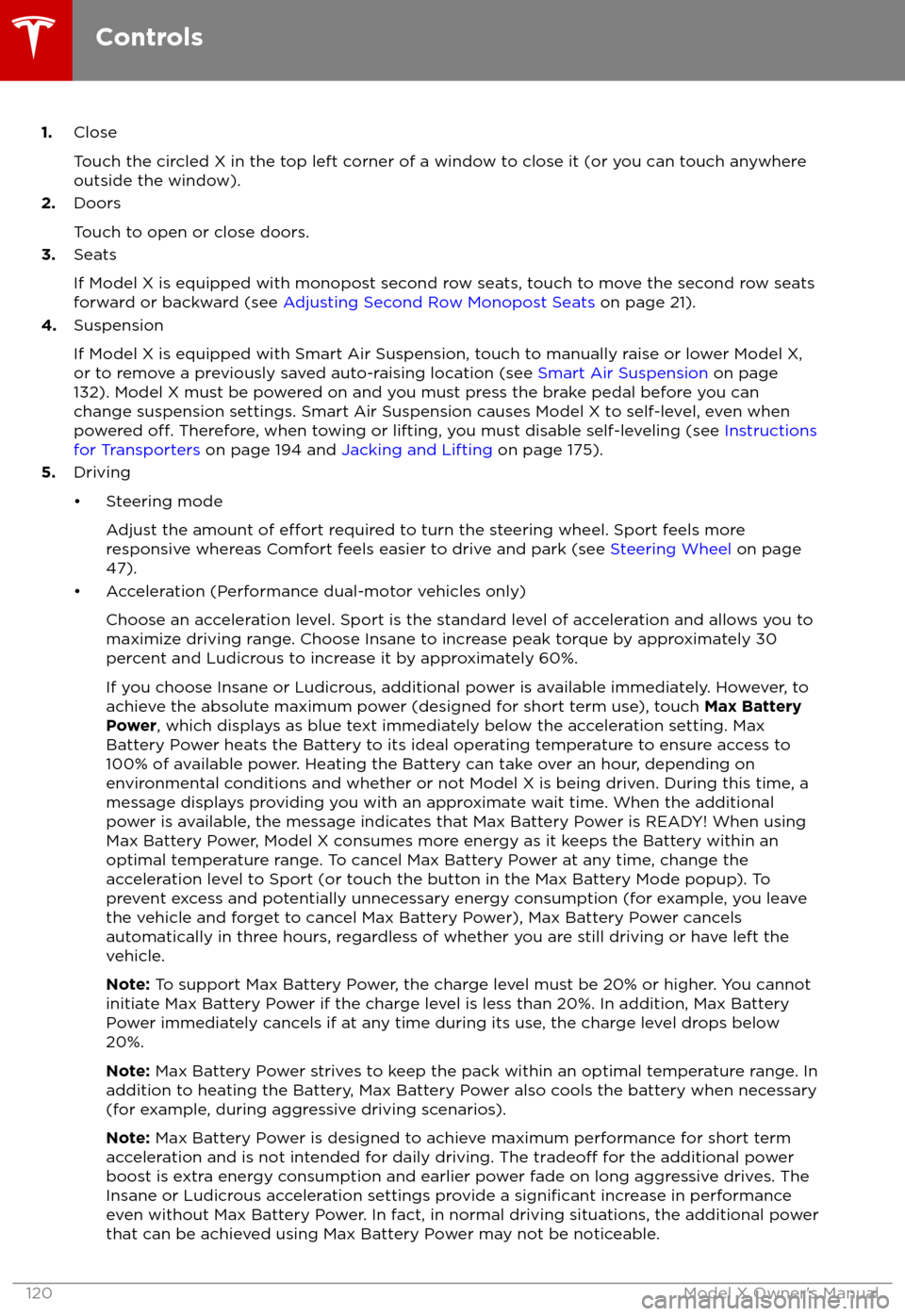
1.Close
Touch the circled X in the top left corner of a window to close it (or you can touch anywhere
outside the window).
2. Doors
Touch to open or close doors.
3. Seats
If Model X is equipped with monopost second row seats, touch to move the second row seats
forward or backward (see Adjusting Second Row Monopost Seats on page 21).
4. Suspension
If Model X is equipped with Smart Air Suspension, touch to manually raise or lower Model X, or to remove a previously saved auto-raising location (see Smart Air Suspension on page
132). Model X must be powered on and you must press the brake pedal before you can
change suspension settings. Smart Air Suspension causes Model X to self-level, even when powered
off. Therefore, when towing or lifting, you must disable self-leveling (see Instructions
for Transporters on page 194 and Jacking and Lifting on page 175).
5. Driving
Page 134 of 213
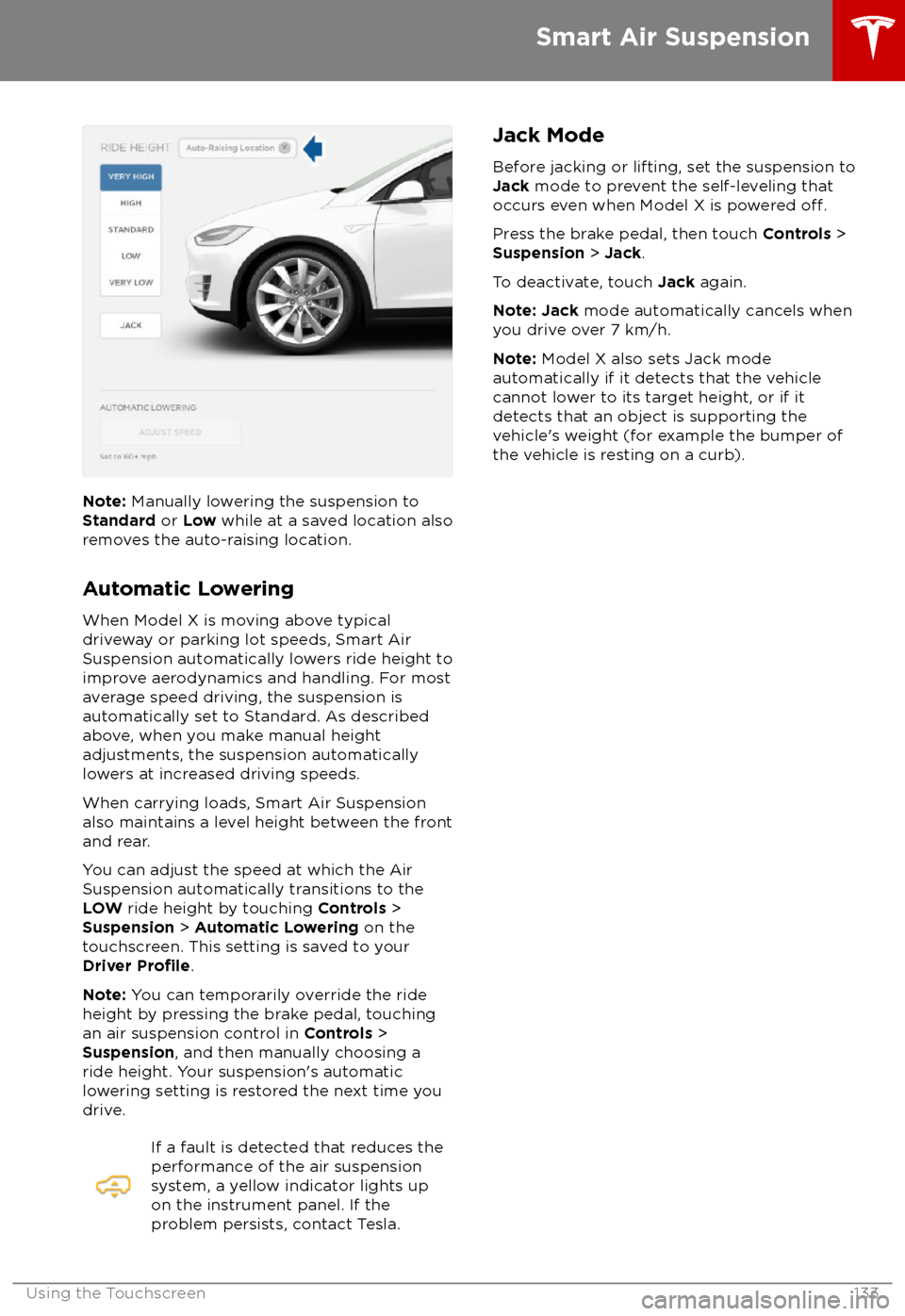
Note: Manually lowering the suspension to
Standard or Low while at a saved location also
removes the auto-raising location.
Automatic Lowering
When Model X is moving above typical driveway or parking lot speeds, Smart Air
Suspension automatically lowers ride height to
improve aerodynamics and handling. For most
average speed driving, the suspension is
automatically set to Standard. As described
above, when you make manual height adjustments, the suspension automatically
lowers at increased driving speeds.
When carrying loads, Smart Air Suspension
also maintains a level height between the front
and rear.
You can adjust the speed at which the Air
Suspension automatically transitions to the
LOW ride height by touching Controls >
Suspension > Automatic Lowering on the
touchscreen. This setting is saved to your
Driver
Profile.
Note: You can temporarily override the ride
height by pressing the brake pedal, touching an air suspension control in Controls >
Suspension , and then manually choosing a
ride height. Your suspension